
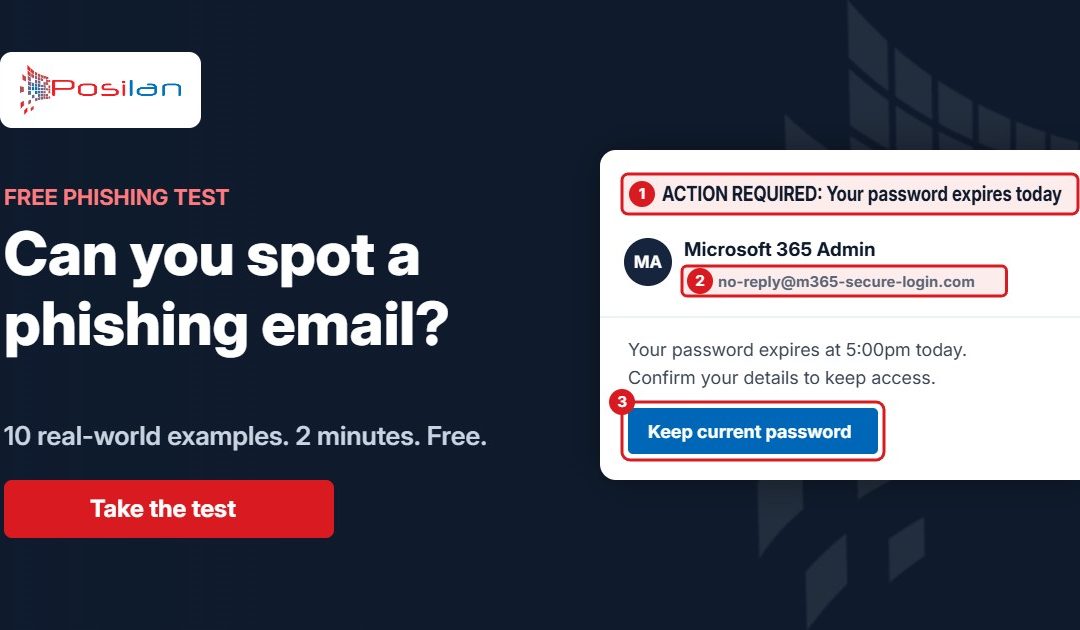
Phishing is still the most common way criminals get into UK businesses. The government’s latest Cyber Security Breaches Survey found it was the most common type of attack, hitting 38% of businesses in a single year. It doesn’t take clever hacking, just one person clicking one link or paying one invoice.
So we’ve built a free phishing test. It takes about two minutes, and it’s a good way to find out how sharp you and your team really are.
How the test works
You play an employee at a made-up company and look at 10 emails, laid out as they would appear in your inbox. For each one, you decide: phishing or genuine?
Hover over (or tap) the links to see where they really go, just as you should with real emails. After each answer, we highlight the warning signs in the email and explain what to look for. At the end you get a score out of 10.
The examples are based on the scams we see hitting North West businesses every week, including:
- a “your password expires today” email pretending to be Microsoft 365
- a supplier asking you to update their bank details before paying an overdue invoice
- a message from the boss asking you to buy gift cards, quietly
- a shared file called “Salary Review” that leads to a fake sign-in page
- a parcel company asking for a small redelivery fee
Not every email in the test is a scam. Some are genuine, because knowing what a normal email looks like is just as important as spotting a fake one.
Five warning signs to remember
- Check the real sender address, not the name. The name can say anything. Look for lookalike domains, such as .co instead of .co.uk, or a personal Gmail address.
- Hover before you click. If the link goes somewhere other than the company it claims to be from, don’t click it.
- Be suspicious of urgency and secrecy. “Today”, “overdue”, “keep this between us” and “don’t call” are all designed to stop you checking.
- Treat money requests with extra care. Confirm any change of bank details, or any request for gift cards or an urgent payment, by phone using a number you already have.
- Watch out for unusual attachments. A “voicemail” that’s an .htm file, or a document that asks you to sign in to view it, is almost always a trap.
Got a suspicious email in front of you right now? Paste its headers into our free email header analyser to see where it really came from, or read our guide on how to check if an email is genuine.
Challenge your team
Your business is only as safe as the person most likely to click. Share the test with your colleagues and see who gets the highest score. You might be surprised.
If the results worry you, we can help. We run short, practical phishing awareness training and simulated phishing tests for businesses across the North West, and our free cyber security check shows where else your business might be exposed.
Get in touch or call us on 0161 660 7471 to talk about training your team.