
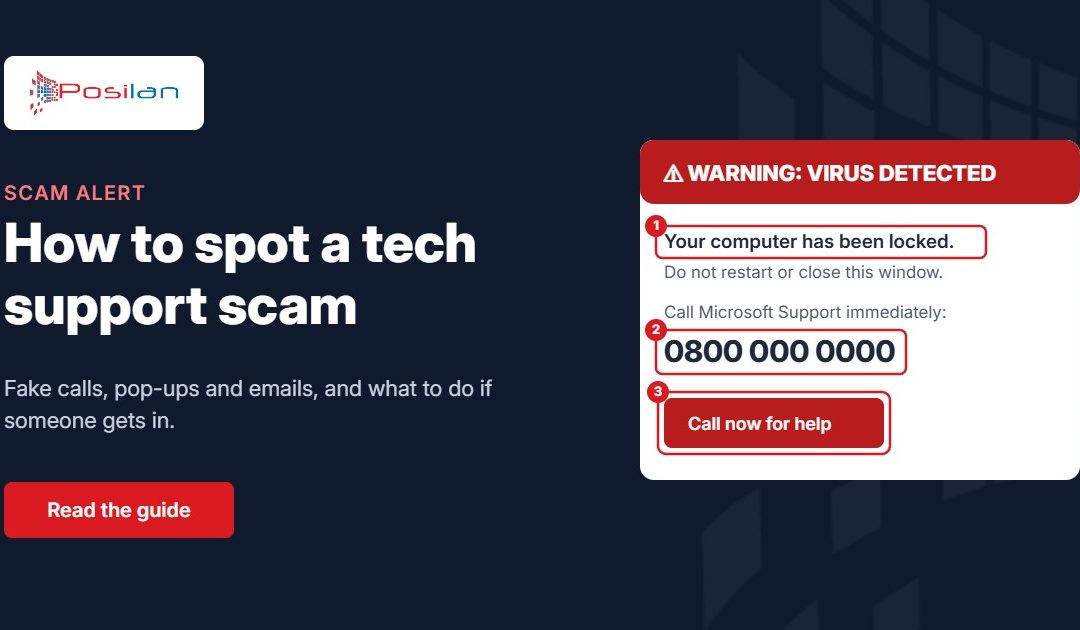
Scammers pretending to be Microsoft, BT, your broadband provider or even your own IT company still catch out businesses every week. The tricks have moved on since the early cold calls, but the aim is the same: get you to let them into your computer, or hand over a password or a payment. Here’s how to spot them.
The cold call
The caller says they’ve detected viruses, a hacked router or a problem with your broadband or Microsoft licence. They sound professional, may know your name and address, and ask you to visit a website or install a “support tool” so they can fix it. Once connected, they show you scary-looking but harmless system messages and then ask for payment, or quietly install software that gives them access later.
Microsoft, Apple and BT do not cold call to tell you your computer has a problem. Neither do we.
The pop-up
A web page suddenly fills the screen with warnings, sirens and a “Microsoft Support” phone number, and appears impossible to close. It’s just a web page. Don’t call the number. Close the browser, and if it won’t close, restart the computer.
The fake email or invoice
An email says your Microsoft 365 subscription has expired, a refund is due, or there’s an unpaid invoice for antivirus you never ordered, with a phone number or link to “sort it out”. These lead either to a fake login page that steals your password, or to a call where they talk you into remote access. Our guides on how to check if an email is genuine and our free phishing test show the warning signs.
Five warning signs
- You didn’t ask for help: they contacted you
- There’s urgency, such as “your account will be closed today”
- They want you to install remote access software or visit a website they read out
- They ask for a password, a code sent to your phone, or a card payment
- They get pushy or angry when you say you’ll call back
What to do if someone has already got in
Don’t be embarrassed. These scams are designed to fool people, and acting quickly matters more than anything.
- Disconnect the computer from the internet straight away: unplug the network cable or turn off Wi-Fi
- Call your IT support company before using the computer again
- From a different device, change any passwords you typed while they were connected, starting with email and banking
- If you made a payment or shared bank details, call your bank immediately
- Report it to the police’s national fraud reporting service, and forward scam emails to report@phishing.gov.uk
How to tell it’s really us
If you’re a Posilan client, we’ll only connect to your computer when you’ve asked for help, using the tool on our remote access page, and you can always end the call and ring us back on 0161 660 7471 to check. If anything feels off, hang up and call us. We’d always rather you checked.
Want your staff to get better at spotting scams? Get in touch about a short awareness session for your team.